From crowd
to queue
Put up one QR poster. Everyone who scans it joins one fair line on their own phone, and the counter calls them in order.
Scan
Customers scan the poster on your door and sign in with their mobile number. No app to install.
Wait
They get a token and watch their place move up live, from home, the tea stall or the car.
Walk in
You tap Call Next. Their phone tells them it's their turn, and the next person moves up.
The same counter
CROWD is most counters today: everyone standing, nobody sure who's next. QUEUE is the same counter with QforQueue. Same people. The difference is a phone in your pocket and a QR code on the door.
CROWD
QUEUE
Try the counter
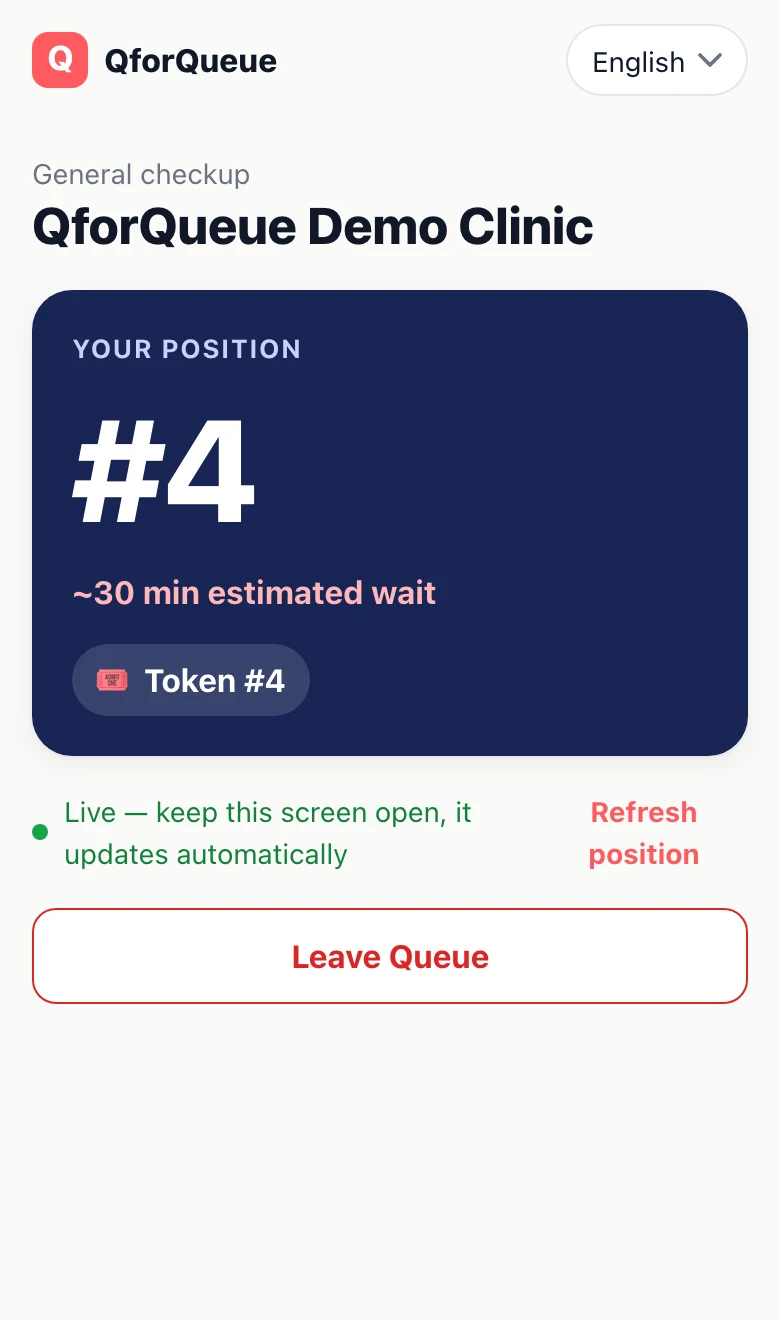
This is the real Partner screen. Press Call Next or add a walk-in, and watch the customer's phone keep up.
- 1Asha Patil (#1)Next up
- 2Rahul Deshmukh (#2)
- 3Meera Kulkarni (#3)
- 4You (#4)
The customer's phone, wherever they're waiting.
See how busy you were
- Footfall by day, month and year. Served, no-shows, priority and walk-ins.
- On duty, off duty. Stop new joins at closing time; people already waiting keep their place.
- Ratings from real visits. Only customers you served can rate you.
- Every branch, one account. In the Partner app or any browser, in English, Hindi or Marathi.
Today
38 bookings
- 31
- Served
- 2
- No-shows
- 1
- Priority
- 4
- Walk-ins
Questions
Do my customers need to download an app?
No. Scanning your QR code opens your business page in their phone's browser, where they join and follow the queue, on Android and iPhone. Regulars can use the QforQueue app instead.
What do I need to start?
A smartphone or any computer with a browser, and a printer for your QR poster. Book a demo and we'll set up your business and its services with you.
What about people who just walk in?
Add them with + Walk-in. They get a token in the same line as everyone who joined from a phone, so the order stays fair.
Which languages does it speak?
English, Hindi and Marathi, in the apps and on the printed poster.
What happens to my customers' data?
We keep what the queue needs, a name and a mobile number, and never sell it. The privacy policy has the details, and anyone can delete their account.
Book a demo
We'll show you QforQueue on a call and set up your queue with you. Tell us a little about your business and when to call.